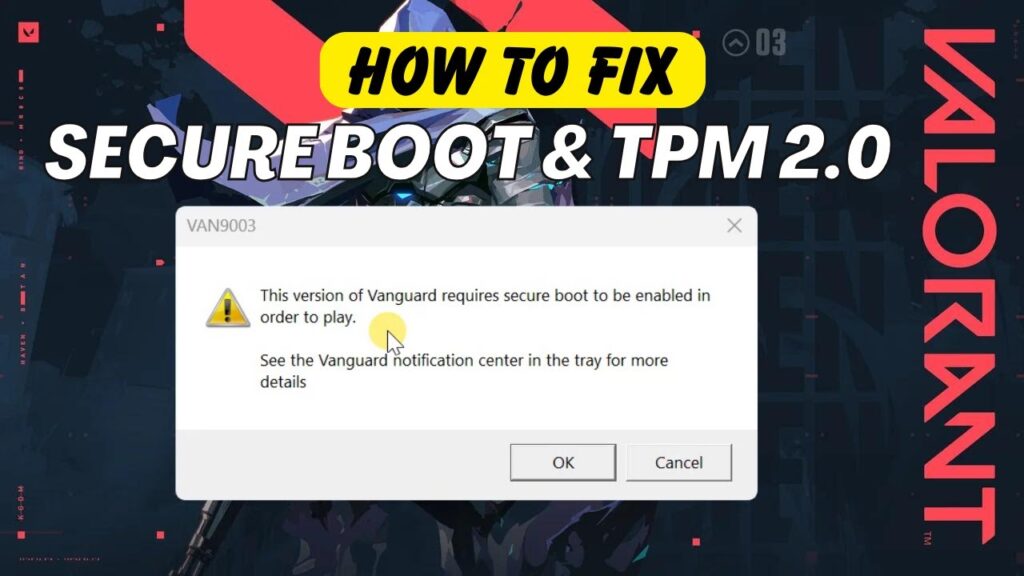
Trying to launch Valorant and getting this error?
“This version of Vanguard requires Secure Boot and TPM 2.0 to be enabled in order to play.”
This is one of the most common problems Windows 11 users face with Riot Vanguard.
Good news — this error is easy to fix once you understand what’s happening.
Why This Error Happens
Riot Vanguard is Valorant’s anti-cheat security system.
To protect against hacking tools, Vanguard requires:
- Secure Boot enabled
- TPM 2.0 enabled
If either one is disabled in BIOS, the game refuses to launch.
Step 1 — Restart Into UEFI / BIOS
- Open Windows Settings
- Go to Windows Update → Advanced Options
- Select Recovery
- Under Advanced Startup → click Restart Now
After restart:
- Click Troubleshoot
- Advanced Options
- UEFI Firmware Settings
- Restart
Your PC will now open BIOS/UEFI.
Step 2 — Enable TPM 2.0
Inside BIOS look for:
- Security tab
- Trusted Platform Module
- TCG Feature Setup
- PTT (Intel)
- fTPM (AMD)
Different motherboard brands use different names.
Enable the security chip or TPM option.
Step 3 — Enable Secure Boot
Still inside BIOS:
- Find Secure Boot option
- Set it to Enabled
Then press:
F10 → Save & Exit
Step 4 — Confirm TPM & Secure Boot in Windows
After Windows loads:
Press:
Windows + R
Type:
tpm.msc
Status should say:
“TPM is ready for use.”
Next check Secure Boot:
Search:
System Information
Look for:
Secure Boot State → On
Launch Valorant Again
Now open Valorant.
The error should be completely gone.
Important Note
This Vanguard requirement exists only on Windows 11.
Windows 10 does not enforce TPM + Secure Boot for Valorant.
If your PC cannot enable TPM, you may need to play on Windows 10.
Common TPM Names by Manufacturer
| Brand | TPM Name |
|---|---|
| Intel | PTT |
| AMD | fTPM |
| Lenovo | Security Chip |
| ASUS | TPM Device Selection |
| MSI | Security Device Support |
Troubleshooting
- No TPM option → update BIOS
- Secure Boot greyed out → enable UEFI mode
- Valorant still fails → reinstall Vanguard
- PC too old → TPM hardware not supported
FAQs
Does this damage my PC?
No.
Is TPM safe?
Yes. It’s a security feature.
Can I disable after playing?
Yes, but Vanguard will block again.
Does this affect performance?
No impact.
Final Result
Your PC now meets Vanguard security requirements.
Valorant launches normally without errors.
If this guide helped you, bookmark it and share it.