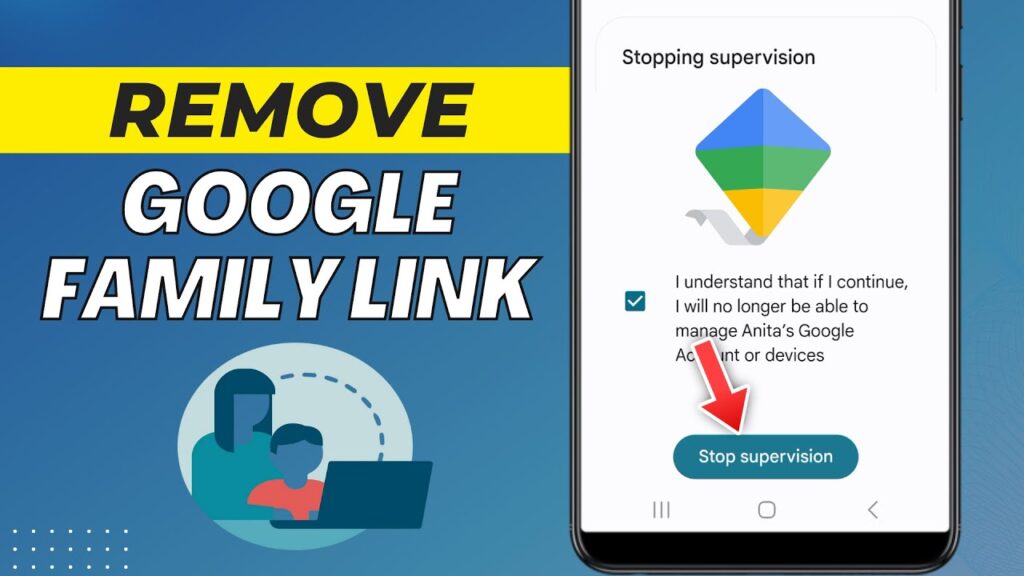
Google Family Link is a parental control system that allows parents to manage a child’s Google account and device.
But if you remove it incorrectly, the phone can become locked or unusable.
This guide shows the safe, official method to remove Family Link from both the child’s account and the parent account.
⚠ Important Warning
- Removing Family Link incorrectly can lock the phone
- Always follow steps in order
- Do not reset the device before removing supervision
- Use the parent device to perform removal
Step 1 — Stop Supervision on the Child Account
On the parent’s phone:
- Open Google Family Link app
- Select the child’s account
- Scroll down → Account settings
- Tap Account supervision
- Tap Stop supervision
- Confirm and enter parent passcode
Supervision is now removed.
The child account becomes a normal Google account.
Step 2 — Remove Child from Family Group
- Open Family Link app
- Tap Menu
- Select Manage Family
- Choose the child’s name
- Tap Remove member
- Confirm removal
The child account is removed from the family group.
Google sends an email confirmation.
Step 3 — Delete the Family Group (Parent Removal)
If you want to remove Family Link completely:
- Open Family Link app
- Select parent account
- Tap Delete family group
- Confirm with password
This removes Family Link entirely.
What Happens After Removal?
- Parental controls stop working
- App restrictions are removed
- Screen time limits disappear
- Child account becomes independent
No data is deleted.
Troubleshooting
- Phone locked → supervision not removed first
- Remove option missing → child still supervised
- Error message → restart both devices
- Cannot sign in → use parent account recovery
FAQs
Will the phone reset?
No.
Will files be deleted?
No.
Can Family Link be added again later?
Yes.
Does this unlock a locked phone?
Only if supervision is stopped correctly.
Final Result
You safely removed Google Family Link without locking the device.
The Google account now works like a normal account.
If this guide helped you, bookmark it and share it.